
 By Admin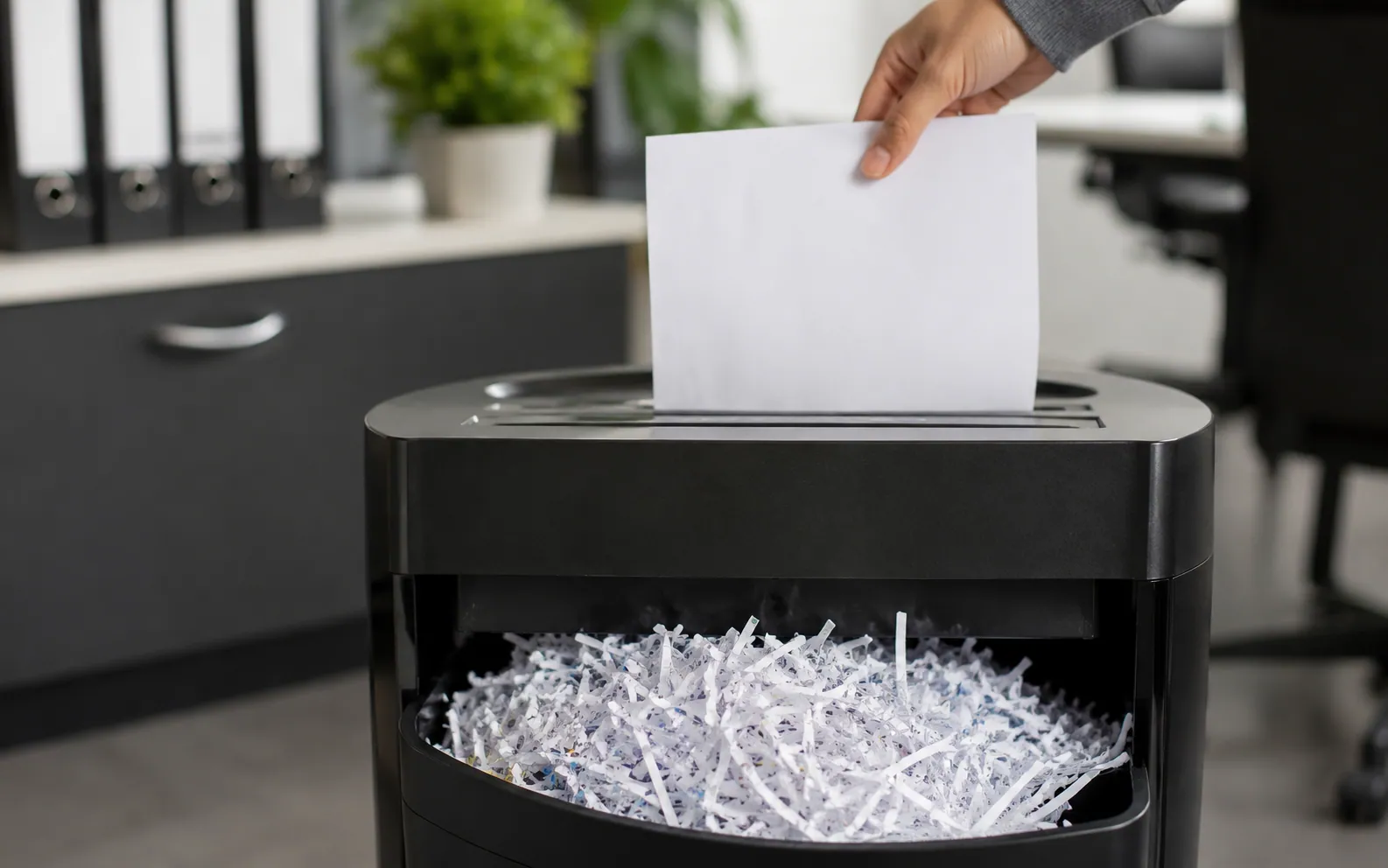
What is the goal of destroying CUI? The goal is to make the information unreadable, indecipherable, and irrecoverable so it cannot be accessed, reconstructed, or misused by anyone who is not authorized to see it. In simple terms, destroying CUI is not just about throwing away a document or deleting a file. It means removing the information in a way that prevents it from being read, recovered, or pieced back together later.
CUI stands for Controlled Unclassified Information. It is not the same as classified national security information, but it is still sensitive enough to require proper safeguarding. CUI may include government-related data, contract information, technical details, privacy-related records, law enforcement information, or other protected unclassified material that must be handled according to specific rules.
CUI can appear in many forms. It may be printed on paper, saved on a hard drive, attached to an email, stored on a USB drive, kept in a cloud folder, included in backups, captured in screenshots, printed from a shared printer, or saved on other physical or digital media. Because CUI can spread across different systems and formats, CUI destruction must be handled carefully and consistently.
This guide explains what CUI is, why proper destruction matters, when CUI should be destroyed, and which approved methods are commonly used for paper and digital disposal. It also covers the difference between paper and electronic CUI, common mistakes to avoid, documentation requirements, and helpful FAQs for anyone responsible for the secure disposal of CUI.
Before you destroy CUI, always follow your organization’s official guidance. Agency rules, contract requirements, legal obligations, records-retention schedules, and security officer instructions may all affect how and when CUI can be destroyed. When in doubt, the safest step is to pause and confirm the correct process before taking action.
What Is CUI and Why Does It Need Special Protection?
CUI, or Controlled Unclassified Information, is information that is not classified but still needs protection because laws, federal regulations, or government-wide policies require it to be controlled. In simple terms, CUI is sensitive unclassified information that should not be shared, stored, handled, or destroyed casually.
CUI is different from classified information. Classified information usually relates to national security and is marked as Confidential, Secret, or Top Secret. Controlled Unclassified Information does not fall into those classified categories, but it can still create serious problems if it is exposed to the wrong person. That is why CUI protection and proper CUI handling requirements matter.
Common Controlled Unclassified Information examples may include:
- Export-controlled information
- Defense contract information
- Controlled technical information
- Privacy-related records
- Law enforcement-sensitive records
- Financial, health, or government operational data, where applicable
The purpose of the CUI Program is to create a consistent way to manage this type of information. The National Archives explains that the CUI Program was established by Executive Order 13556 to standardize how the executive branch handles sensitive unclassified information. This helps agencies and authorized organizations follow clearer rules instead of using scattered or inconsistent practices.
The key idea is this: if CUI is handled casually, it can still cause real harm. It may expose private details, weaken contract security, reveal controlled technical data, create legal risk, or lead to unauthorized disclosure. That is why anyone who works with CUI should understand how to store it, share it, protect it, and destroy it properly.
The Main Goal of Destroying CUI: Make It Unreadable, Indecipherable, and Irrecoverable
The goal of destroying CUI is to make sure the information can no longer be read, understood, recovered, or used by anyone who is not authorized to access it. In official terms, proper CUI destruction should make the information unreadable, indecipherable, and irrecoverable. That means the content should be destroyed so completely that it cannot be put back together, restored, or exposed later.
Each part of this standard matters:
Unreadable means a person cannot look at the material and read or understand the content. For example, a complete printed document sitting in a trash can is still readable because anyone who finds it can see the information.
Indecipherable means the information cannot be reconstructed into meaningful data. Even if pieces of a document or data remain, they should not be usable in a way that reveals the original content.
Irrecoverable means the information cannot be restored through normal recovery tools, forensic methods, or laboratory techniques. This is especially important for electronic CUI because deleting a file does not always remove the actual data from a device.
The purpose of CUI destruction is to prevent unauthorized access after the information is no longer needed and is approved for disposal. CUI may include sensitive government, contract, technical, privacy, financial, health, or operational information. If it is destroyed carelessly, it could still be exposed, copied, restored, or misused.
This is why simply hiding, deleting, tossing, or recycling CUI does not meet proper CUI disposal requirements. A folder placed in a desk drawer is only hidden, not destroyed. A file moved to the recycle bin may still be recoverable. A printed document thrown into normal trash is still readable. Even recycling paper without approved destruction can create a security risk.
Official CUI guidance also supports this standard. 32 CFR § 2002.14 states that agencies must destroy CUI, including electronic CUI, in a way that makes it unreadable, indecipherable, and irrecoverable. This requirement shows that secure disposal is not just a best practice; it is part of responsible CUI handling.
A practical way to understand it is this: a printed CUI document in a trash can is still a risk because someone can read it. A deleted file on a hard drive may still be restored with recovery tools. But CUI that has been properly shredded, pulped, burned, purged, sanitized, or physically destroyed is much safer because the information is no longer usable.
When Should CUI Be Destroyed?
CUI should not be destroyed simply because someone is finished reading it or no longer needs it at their desk. Proper CUI destruction is part of the larger CUI lifecycle, which means the information must be handled correctly from creation and storage all the way through final disposal. Before destroying CUI, the first question should not be “Can I shred this now?” It should be “Am I allowed to destroy this yet?”
In general, CUI may be destroyed when it is no longer needed for business, operational, contract, legal, or mission purposes. For example, a temporary printed working copy may no longer be needed after a meeting or review. However, if that same information is part of an official file, contract record, investigation record, or required business document, it may need to be kept for a specific period.
This is where CUI records retention becomes important. Records management means keeping required information for the right amount of time and disposing of it only when the rules allow. Some CUI must be retained under a records schedule, contract requirement, agency policy, legal hold, or other official instruction. Destroying it too early can create compliance issues, even if the destruction method itself is secure.
A helpful distinction is the difference between a working copy and an official record. A working copy may be a draft, duplicate, printout, or temporary reference copy used for day-to-day work. If policy allows, it may be destroyed sooner once it is no longer needed. An official record, however, must follow proper CUI disposition and retention rules before it can be destroyed.
Agencies, contractors, and employees should check the correct authority before disposal. This may include the organization’s records schedule, contract terms, agency instructions, legal requirements, security officer guidance, or a CUI program manager. In some cases, a contract or agency may require specific steps before destruction, including approval, documentation, or a certificate of destruction.
Many basic articles jump straight to shredding or deleting, but responsible records management before CUI destruction is just as important as the destruction method itself. Secure disposal only works when the timing is also correct. The safest approach is to confirm that the CUI is no longer required, verify that disposal is allowed, and then use an approved destruction method that makes the information unreadable, indecipherable, and irrecoverable.
Destroying Paper CUI: Shredding, Pulping, Burning, and Approved Disposal
Paper CUI should never be placed in normal trash, desk-side bins, open recycling containers, or public disposal areas. Even if the document looks old, incomplete, or unimportant, it may still contain Controlled Unclassified Information that could be read, copied, photographed, or removed by someone who is not authorized to see it. Proper paper CUI destruction means the document must be destroyed in a way that prevents the information from being reconstructed or misused.
Common approved methods used to destroy CUI documents may include cross-cut shredding, pulverizing, pulping, macerating, or burning/incineration when allowed by the organization’s policy. These methods are designed to break down the paper so the content is no longer readable or recoverable. A basic tear by hand or a simple strip-cut shredder is usually not enough because pieces may still be matched together and read.
CUI shredding requirements can be strict, especially for sensitive government or contract-related material. Some guidance may require very small particle sizes for paper destruction, depending on the type of information and the organization’s rules. That is why employees should not guess which shredder or disposal method is acceptable. The safest approach is to use only approved equipment, approved destruction services, or instructions provided by the agency, contractor, security officer, or records-management team.
Secure collection is also important before destruction. A CUI disposal bin should be approved for CUI, locked or otherwise controlled, and clearly separated from normal recycling or regular office trash. These bins should not be treated like casual paper drop boxes. If CUI is placed in an unsecured container, it may still be exposed before the actual destruction happens.
A practical workplace tip is to treat printer problems carefully. If a printer jams while printing CUI, the jammed pages, partial pages, and misprints should still be handled as CUI until they are properly destroyed. The same applies to extra copies left on a printer tray, notes from a CUI meeting, draft pages, or marked-up documents that contain sensitive details.
Another common issue is mixed waste. If CUI gets mixed with regular paper, the safest rule is to handle the entire batch at the CUI level unless your organization’s policy says otherwise. It is better to over-protect questionable paper than to accidentally send sensitive information into normal recycling.
In short, secure document destruction is not only about shredding paper. It is about controlling the document from the moment it is no longer needed until the destruction process is complete. Paper CUI should stay protected, contained, and handled by authorized people until it has been destroyed in an approved way.
Destroying Digital CUI: Why Deleting a File Is Not Enough
Digital CUI can be harder to destroy than paper because it may exist in more places than people realize. A CUI document might be saved on a laptop, copied to a shared drive, attached to an email, backed up in the cloud, stored on a USB drive, captured in a screenshot, or left behind in temporary files, system logs, mobile devices, scanner folders, or old backups. This is why digital CUI destruction requires more care than simply pressing delete.
The key point is simple: delete does not always mean destroy. When a file is deleted, it may disappear from the user’s view, but the data can sometimes remain on the device until it is overwritten, sanitized, or physically destroyed. In some cases, deleted files may be restored with normal recovery tools. In more serious cases, data may be recovered through forensic techniques if the storage media was not handled correctly.
This is where media sanitization becomes important. Media sanitization means using an approved process to remove data from storage media so the information cannot be accessed or recovered in a practical way. For CUI, the goal is not just to clean up a folder. The goal is to make the information unreadable, indecipherable, and irrecoverable based on the type of media, the sensitivity of the data, and the rules that apply.
A key modern framework for this topic is NIST SP 800-88 Rev. 2, which explains media sanitization as a process that makes access to the target data infeasible for a given level of effort. In practical terms, this means organizations should choose a destruction or sanitization method that matches the risk. A low-risk internal reuse situation may not require the same method as retiring a hard drive that once stored sensitive CUI.
Digital disposal is often described through the clear, purge, destroy model:
Clear uses logical methods to protect data from simple recovery. This may include overwriting or other approved software-based techniques. Clearing may be used when media will be reused in lower-risk situations, but it must still follow agency or organizational policy.
Purge uses stronger methods that make recovery much more difficult, even against more advanced techniques. Examples may include cryptographic erase, secure erase commands, or degaussing when appropriate for the media type. Purging is often used when the risk is higher or when media will leave a controlled environment.
Destroy means physically damaging the media so it cannot be reused and the data cannot be recovered. This may include shredding, crushing, disintegrating, pulverizing, melting, or incinerating storage devices, depending on the approved process. Physical destruction is often used for end-of-life media or when reuse is not needed.
One expert-backed detail many people miss is that not all digital media responds to the same method. Degaussing may work for some magnetic media, such as certain hard drives or tapes, but it does not work the same way for SSDs because solid-state drives store data differently. SSDs, encrypted drives, mobile phones, cloud systems, and backup environments often require method-specific handling. A method that works for one device may be ineffective or incomplete for another.
The safest practical tip is to match the disposal method to four things: the type of media, the sensitivity of the CUI, the planned reuse or disposal of the device, and the agency or organization’s policy. Before you destroy electronic CUI, confirm whether the correct approach is to clear, purge, or destroy the media. This helps ensure that secure erase CUI processes are not only technically effective but also compliant with the rules that apply to your work.
CUI Destruction Methods: Clear vs Purge vs Destroy
The terms clear, purge, and destroy can sound technical, but they are easier to understand when you think of them as different levels of CUI sanitization methods. Each method is used to reduce the risk of someone recovering sensitive information from a device, system, or storage media. The right choice depends on the type of media, the sensitivity of the CUI, whether the media will be reused, and what your agency, contract, or organization requires.
| Method | What It Means | Best Used For | Caution |
| Clear | Uses logical techniques to remove access to data | Some reusable media | May not be enough for all CUI |
| Purge | Stronger sanitization against advanced recovery | Higher-risk reuse or transfer | Must match media type |
| Destroy | Physically damages media so it cannot be reused | End-of-life devices or high-risk media | Requires controlled handling and proof |
Clear is usually the lowest level of the three. It may involve approved logical techniques, such as overwriting or resetting media in a way that protects against basic recovery attempts. Clearing may be useful when a device or storage media will stay inside the same controlled environment and be reused, but it is not always enough for every type of CUI or every situation.
Purge provides stronger protection. It is designed to make recovery much harder, including against more advanced recovery methods. Purging may include secure erase functions, cryptographic erase, or degaussing when the media type supports it. However, the method must match the device. For example, a process that works for a magnetic hard drive may not work properly for an SSD, mobile phone, or cloud-based storage system.
Destroy is the most final option. It means physically damaging the media so it cannot be reused and the information cannot be recovered in a practical way. Secure media destruction may include shredding, crushing, disintegrating, pulverizing, melting, or incinerating devices or storage components through an approved process. This is often used for end-of-life devices, damaged drives, or high-risk media that should not be reused.
It is important to understand that “destroy” is not always the only approved method for CUI media disposal. In some cases, clearing or purging may be acceptable if it meets the required security standard and follows policy. However, the final result must still support the main goal of CUI destruction: making the information unreadable, indecipherable, and irrecoverable.
Law, regulation, contract terms, agency policy, or internal security procedures may require a specific method. For example, reusing a laptop internally may require approved sanitization before it is assigned to another employee. Retiring a broken hard drive, on the other hand, may require physical destruction because the device cannot be reliably wiped or verified.
The safest approach is to avoid guessing. Before choosing between clear, purge, destroy, check the required data destruction methods for the media type and the CUI involved. A compliant process should protect the information, match the risk, and leave a clear record showing that the disposal was handled properly.
Common CUI Destruction Mistakes That Create Security Risk
Even when people understand that CUI must be protected, mistakes can still happen during disposal. Many CUI destruction mistakes are not caused by bad intentions. They usually happen because someone is rushing, cleaning out old files, replacing equipment, or assuming that regular office disposal is “good enough.” With CUI, small disposal errors can create a serious CUI security risk.
One common mistake is throwing CUI into regular trash or open recycling. A printed document may look harmless once it is old, marked up, or no longer needed, but if the information is still readable, it has not been securely destroyed. Regular trash and recycling streams are not controlled environments, which means the information could be seen, removed, photographed, or mishandled.
Another mistake is using a basic strip-cut shredder. Strip-cut shredding may reduce the size of a document, but long strips can sometimes be reconstructed. For sensitive information, approved cross-cut shredding, pulping, pulverizing, macerating, or another approved destruction method is usually safer. The goal is not just to damage the paper; it is to prevent the content from being read or rebuilt.
For digital files, a major error is deleting files without properly sanitizing the device or storage location. A deleted file may disappear from a folder, but it can still exist on the hard drive, in cloud storage, in email attachments, in temporary files, or in backups. This is why improper CUI disposal often happens when people confuse deleting with destroying.
Organizations may also forget where digital CUI spreads. It can remain in shared drives, email inboxes, old attachments, cloud folders, backup systems, logs, screenshots, removable media, mobile phones, scanner folders, and printer memory. These hidden locations are easy to miss, especially during equipment upgrades or employee offboarding.
Another serious mistake is letting unauthorized employees or vendors handle CUI. A recycling company, IT repair shop, or moving crew may be trustworthy in a general sense, but that does not automatically mean they are approved to handle CUI. Vendors should only be used when they meet the organization’s security, contract, documentation, and destruction requirements.
Failing to document destruction is another common issue. Even if CUI was destroyed correctly, the organization may need proof. Missing destruction logs, missing approval records, or no certificate of destruction can create audit problems and CUI compliance errors. Good documentation helps show what was destroyed, when it was destroyed, who handled it, and which method was used.
CUI can also be mishandled when people destroy official records too early. Not every CUI document can be destroyed the moment it is no longer convenient to keep. Some records must be retained for a required period under records-management rules, contract terms, legal holds, or agency policy. Destroying official records too soon can create a different kind of compliance problem.
Another mistake is treating CUI as either classified information or public information by mistake. CUI is not classified, but it is also not public. Overprotecting it in the wrong system can create confusion, while underprotecting it can lead to unauthorized disclosure of CUI. The right approach is to follow the specific handling and disposal requirements that apply to the CUI category.
In many workplaces, the biggest mistakes happen during routine cleanup days, office moves, printer replacements, and employee offboarding. These are moments when old paper files, laptops, phones, USB drives, printer trays, and storage boxes are handled quickly. A practical habit is to slow down during these transitions and check for CUI before anything is trashed, recycled, wiped, donated, or sent to a vendor.
When unsure, pause and ask the security team, records-management office, contracting officer, or CUI program manager before disposal. It is much easier to confirm the right process before destruction than to fix a mistake after sensitive information has been exposed.
Documentation, Chain of Custody, and Proof of Destruction
Proper CUI destruction is not complete just because a file was wiped or a document was shredded. In many workplaces, the organization also needs CUI disposal documentation to show that the process was handled correctly. Documentation matters because it supports audits, contract compliance, incident response, internal accountability, and vendor verification.
Good records help answer important questions later. What was destroyed? Who handled it? When did it happen? Which method was used? Was the device sanitized, physically destroyed, or transferred to an approved vendor? If there is ever a compliance review, security concern, or possible data exposure, clear CUI audit records can help prove that the organization followed the correct process.
A basic destruction record may include:
- What was destroyed
- Date and time of destruction
- Destruction or sanitization method used
- Name of the person, team, or vendor responsible
- Serial numbers, asset tags, or device IDs for digital media
- CUI destruction certificate, if a vendor provides one
- Witness name, approval details, or supervisor sign-off where required
Chain of custody CUI simply means knowing who had control of the CUI from the time it was collected until the time it was destroyed. For paper records, this may include who placed the documents in an approved bin, who transported them, and who performed the destruction. For digital media, it may include who removed the device, who stored it, who sanitized it, and who verified the result.
This matters because CUI can still be exposed before destruction if the handoff is careless. A locked disposal bin, controlled storage area, approved transport process, and authorized destruction provider can reduce the risk of unauthorized access. The goal is to avoid gaps where no one can clearly say who had the information or where it went.
Vendors should also be selected carefully. Do not assume that a general recycling company, office cleanout service, or electronics recycler is automatically qualified for CUI destruction. A vendor should be able to follow applicable CUI, NIST, contract, agency, and organizational requirements. They should also provide reliable proof of destruction, such as a certificate, report, or other documentation when required.
The Defense Counterintelligence and Security Agency, commonly known as DCSA, provides CUI resources for industry and government users, including guidance and tools that can support better safeguarding practices. This can be helpful for organizations that work with government contracts or need a clearer understanding of CUI responsibilities.
In simple terms, documentation protects both the information and the organization. A secure destruction process should not only make CUI unreadable, indecipherable, and irrecoverable; it should also leave a clear record showing that the right people used the right method at the right time.
CUI Destruction in Real-World Workplaces: Practical Examples
CUI destruction becomes easier to understand when you look at normal workplace situations. Most mistakes do not happen during formal security reviews. They happen during everyday tasks like cleaning a desk, replacing a printer, closing a project, or sending an old device to IT. These CUI workplace examples show why secure disposal should be part of daily habits, not something people think about only at the end.
One common example is office paper cleanup. An employee may find old CUI printouts in a drawer, folder, meeting room, or filing cabinet. Even if the papers are outdated, they should not go into regular recycling. If they contain CUI, they should be placed in an approved CUI destruction bin or handled through the organization’s secure document destruction process.
Another important situation is employee offboarding CUI. When someone leaves a role, changes departments, or finishes a contract, the organization should check more than the laptop. CUI may be stored in email, cloud folders, shared drives, removable drives, printed notes, screenshots, downloads, or saved attachments. A careful offboarding process helps prevent sensitive information from being left behind, copied, or accessed after it is no longer needed.
A third example is contract closeout CUI. When a government-related contract or project ends, teams should not automatically delete or destroy everything. They need to follow contract instructions, records-retention rules, agency guidance, and internal policy. Some information may need to be returned, retained, transferred, archived, or destroyed in a specific way. This is where good records management and security guidance are especially important.
A broken hard drive is another practical example. If a drive once stored CUI, it should not be thrown away, donated, recycled casually, or placed in a general electronics bin. Even if the device no longer works, the data may still be recoverable. The safer approach is to use approved sanitization or physical destruction based on the media type, the sensitivity of the CUI, and the organization’s disposal rules.
Shared printers and scanners can also create hidden risks. CUI may be left on printer trays, stored in print queues, saved in scanner folders, or held in device memory. During printer replacement or maintenance, teams should check stored jobs, scan destinations, abandoned pages, and any internal storage that may contain CUI. A printer used for CUI should be treated as part of the information environment, not just office equipment.
CUI remote work adds another layer of risk. Employees should avoid storing CUI on personal devices, personal cloud accounts, home printers, personal USB drives, or unmanaged phones unless clearly authorized. Printed CUI at home can be especially risky because normal household trash, shared spaces, and personal printers may not meet workplace protection standards. Remote workers should follow approved storage, access, printing, and destruction procedures.
The expert-style advice is simple: make destruction part of CUI lifecycle management, not a last-minute cleanup task. From the moment CUI is created, copied, downloaded, printed, emailed, or stored, teams should already know how it will be protected and eventually disposed of. A planned process reduces confusion, prevents rushed decisions, and helps ensure CUI is destroyed only when allowed and only through an approved method.
Quick Checklist Before Destroying CUI
Before destroying CUI, it helps to follow a simple checklist. This keeps the CUI disposal process clear, consistent, and easier to verify later. It also reduces the chance of destroying information too early, using the wrong method, or missing a required documentation step.
Use this CUI destruction checklist before disposal:
- Confirm the material is actually CUI.
- Check whether it is CUI Basic or CUI Specified.
- Confirm that records-retention rules allow destruction.
- Review the contract, agency guidance, organizational policy, or CUI handling policy.
- Choose the correct destruction method for paper, digital media, devices, or cloud-stored information.
- Protect the CUI until destruction is fully complete.
- Use only authorized employees, approved teams, or qualified vendors.
- Document what was destroyed, when it was destroyed, and how it was destroyed.
- Keep destruction logs, certificates, approvals, or witness records where required.
- Report mistakes, missing records, or suspected unauthorized disclosure quickly.
Knowing how to destroy CUI safely is not only about shredding paper or wiping a device. It is about confirming that destruction is allowed, choosing the right method, controlling access during the process, and keeping proper proof. A strong CUI compliance checklist helps employees avoid rushed decisions and follow the same secure process every time.
FAQ
What is the goal of destroying CUI?
The goal of destroying CUI is to make the information unreadable, indecipherable, and irrecoverable. This means unauthorized people should not be able to read it, misuse it, recover it, or reconstruct it after disposal. A proper CUI destruction answer always comes back to one main idea: the information must no longer be usable.
Is deleting CUI the same as destroying it?
No. Deleting CUI is not always the same as destroying it. A deleted file may disappear from a folder, but the data can sometimes remain on the device, in backups, in cloud storage, or in temporary files. For proper CUI secure destruction, the media may need to be cleared, purged, sanitized, or physically destroyed according to approved procedures.
Can CUI be thrown in the trash?
No. Paper CUI should not be placed in normal trash, desk bins, or open recycling containers. If the information is still readable, it has not been securely destroyed. Paper CUI should be disposed of through an approved destruction method, such as authorized shredding, pulping, pulverizing, macerating, or another approved process.
What standard is used for digital CUI destruction?
NIST SP 800-88 is widely used for media sanitization guidance. The current Rev. 2 version focuses on choosing proper sanitization techniques and controls based on the sensitivity of the data, the type of media, and the disposal or reuse situation. This helps organizations decide whether to clear, purge, or destroy electronic media that contains CUI.
Who is responsible for destroying CUI correctly?
Authorized holders, agencies, contractors, and organizations that handle CUI are responsible for following the correct CUI disposal rules. This may include agency policy, contract terms, laws, regulations, records-retention schedules, and internal security procedures. Anyone handling CUI should understand their role before storing, sharing, transferring, or destroying it.
What happens if CUI is not destroyed properly?
If CUI is not destroyed properly, it can lead to unauthorized disclosure, compliance violations, contract problems, investigations, loss of trust, or security incidents. Improper disposal may also create problems during audits if the organization cannot show how, when, and by whom the CUI was destroyed.
Why is CUI destruction important?
CUI destruction is important because sensitive unclassified information can still cause harm if it is exposed. Even though CUI is not classified, it may include privacy records, defense contract data, controlled technical information, financial details, law enforcement-sensitive material, or other protected information. Secure destruction helps reduce the risk of misuse.
What is the safest way to handle a destroying CUI question at work?
The safest way to handle any destroying CUI question at work is to pause and check the proper guidance before disposal. Confirm whether the material is CUI, whether it can legally be destroyed, which method is approved, and whether documentation is required. When unsure, ask your security officer, records-management team, contracting officer, or CUI program manager.
Conclusion:
So, what is the goal of destroying CUI? The goal is to make sure the information can no longer be read, understood, recovered, or misused after it is no longer needed and has been approved for disposal. Proper CUI destruction protects sensitive information from unauthorized access and helps organizations follow the rules that apply to their work.
The main point to remember is that CUI is unclassified but still sensitive. It may include government, contract, technical, privacy, financial, health, or operational information that needs careful handling. When CUI reaches the end of its approved use, it must be destroyed in a way that makes it unreadable, indecipherable, and irrecoverable.
Paper and digital CUI often need different disposal methods. Paper may require approved shredding, pulping, pulverizing, macerating, or incineration. Digital CUI may require approved clearing, purging, secure erase, media sanitization, or physical destruction. Simply deleting a file, tossing paper in the trash, or placing documents in regular recycling is not enough for secure CUI disposal.
Records retention and agency policy also matter before destruction. Some CUI may need to be kept for a required period before it can be destroyed. Documentation, chain of custody, destruction logs, and vendor certificates can also help prove CUI compliance during audits, contract reviews, or incident response.
Disclaimer:
This article is for general informational purposes only and should not be treated as legal, security, contract, or government compliance advice. CUI handling and destruction requirements may vary based on agency policy, contract terms, records-retention rules, and applicable regulations. Always follow your organization’s official guidance or consult the appropriate security, legal, records-management, or CUI program contact before destroying CUI.