
 By Admin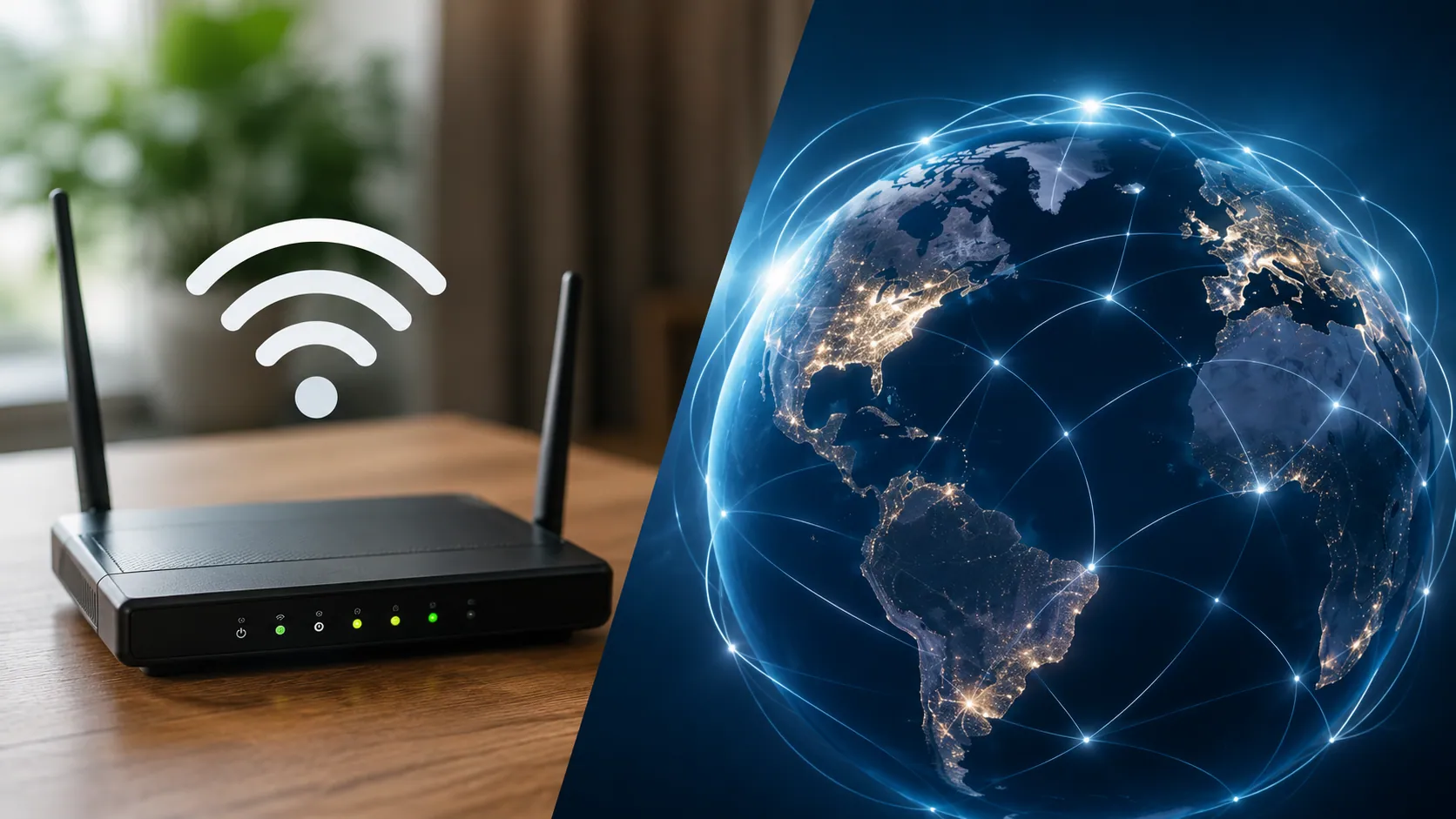
What is the difference between WiFi and internet is a common question because many people use both words as if they mean the same thing. In simple terms, WiFi is the wireless connection that links your device to a router or local network, while the internet is the global network that lets you access websites, apps, streaming services, email, cloud tools, and online communication.
So, WiFi and internet are connected, but they are not the same. You can have WiFi without internet, and you can also have internet without WiFi. Understanding this difference can help you fix slow connections, choose the right equipment, avoid confusion with your internet service provider, and know why your phone may say connected to WiFi but no internet.
Quick Answer: What Is the Difference Between WiFi and Internet?
The simplest way to understand WiFi vs internet is this:
WiFi connects your device to a nearby router. The internet connects that router to the online world.
Think of WiFi as the short wireless path inside your home, office, hotel, library, or coffee shop. It lets your phone, laptop, tablet, smart TV, printer, or gaming console connect to a local wireless network. That network may or may not have internet access.
The internet, on the other hand, is the massive global network of servers, websites, apps, search engines, social media platforms, streaming services, and cloud systems. Your internet connection usually comes from an internet service provider, also called an ISP.
Here is the core difference:
| Feature | WiFi | Internet |
| Basic meaning | A wireless local network | A global network of connected systems |
| Main job | Connects devices to a router | Connects users to websites, apps, and online services |
| Main device involved | Router or access point | Modem, ISP, network infrastructure |
| Range | Usually limited to a home, room, office, or public place | Global |
| Works without the other? | Yes, WiFi can work locally without internet | Yes, internet can work through Ethernet or mobile data |
| Common issue | Weak WiFi signal | ISP outage, slow service, or no internet access |
That is why WiFi is not the internet. WiFi is only one way to reach the internet.
What Is WiFi?
WiFi is a wireless networking technology that allows devices to connect to a router or access point without using cables. When you connect your smartphone, laptop, tablet, smart TV, or printer to a home WiFi network, your device is joining a local area network, also called a LAN.
WiFi uses radio waves to transmit data between your device and the router. Most home routers broadcast WiFi signals using frequency bands such as 2.4 GHz, 5 GHz, and newer 6 GHz bands. These bands affect range, speed, and performance. For example, 2.4 GHz usually reaches farther but may be slower, while 5 GHz and 6 GHz can be faster but may not travel as far through walls.
A WiFi network can exist even when the internet is not working. For example, your wireless printer may still connect to your laptop through WiFi, or your phone may still connect to your router’s settings page. In that case, the WiFi connection exists, but the internet connection may be unavailable.
This is why your device can show full WiFi bars but still fail to load a website. The WiFi signal may be strong, but the internet service behind it may be down.
What Is the Internet?
The internet is a global system of connected computer networks. It links websites, servers, apps, databases, search engines, streaming platforms, email services, cloud tools, online games, and social media platforms around the world.
Unlike WiFi, the internet is not limited to your home or router. It is a wide area network, often described as a global network of interconnected systems. When you open a website, watch a video, send an email, join a video call, or use a cloud service, your device is using the internet.
Most homes get internet service from an internet service provider, or ISP. The ISP may deliver service through fiber internet, cable internet, DSL, satellite internet, fixed wireless, or 5G home internet. That service usually enters your home through a modem, fiber terminal, or gateway device.
The internet can be accessed in several ways, including WiFi, Ethernet cable, mobile data, or a hotspot. This is why internet vs WiFi is not really a competition. WiFi is a connection method. The internet is the larger online network that the connection method helps you reach.
How WiFi and Internet Work Together at Home
In a typical home internet setup, WiFi and internet work together in a chain. The connection usually looks like this:
Device → WiFi signal → Router → Modem or fiber terminal → ISP → Internet
Your phone or laptop first connects to your WiFi router. The router then sends your online request to the modem or fiber terminal. From there, your internet service provider connects you to the wider internet.
For example, when you open YouTube, your phone does not connect directly to YouTube through WiFi alone. It connects to your router through WiFi. Then your router sends the request through your modem and ISP to reach YouTube’s servers.
This connection chain is important because a problem can happen at any point. If your WiFi signal is weak, your device may disconnect from the router. If your router is working but your ISP has an outage, your device may stay connected to WiFi but still have no internet access.
That is why troubleshooting becomes easier when you understand each part:
| Part | What It Does |
| Device | Phone, laptop, TV, tablet, printer, or gaming console |
| WiFi | Wireless signal between device and router |
| Router | Shares the connection with multiple devices |
| Modem / fiber terminal | Brings internet service into the home |
| ISP | Provides access to the internet |
| Internet | Global network of websites, apps, and services |
Can You Have WiFi Without Internet?
Yes, you can have WiFi without internet. This surprises many people because they often think WiFi automatically means online access.
A router can still create a WiFi network even if the internet service is down. Your phone, laptop, smart TV, or printer may connect to that wireless network, but websites and apps will not load because the router is not connected to the internet.
Here are a few examples of WiFi working without internet:
| Example | How It Works |
| Wireless printer | Your laptop can send a print job over local WiFi |
| Router settings | You can access your router dashboard locally |
| File sharing | Devices on the same network can share files |
| Smart home devices | Some devices may communicate locally |
| Local media server | You may stream files stored on a local device |
So, when someone asks, can you have WiFi without internet, the answer is yes. WiFi can connect nearby devices inside a local network. However, without internet service, you cannot browse websites, stream online videos, use most apps, or access cloud services.
This is also why your device may say WiFi connected but internet not working. The WiFi part is working. The internet part is not.
Can You Have Internet Without WiFi?
Yes, you can also have internet without WiFi. WiFi is only one way to access the internet.
For example, a desktop computer can connect directly to a router using an Ethernet cable. This is a wired connection, and it can often be faster and more stable than WiFi. Many gamers, remote workers, and people who need reliable video calls prefer Ethernet because it usually has lower latency and fewer signal problems.
You can also access the internet through mobile data on a smartphone. If your phone is using 4G or 5G, it is connected to the internet through a cellular network, not through your home WiFi. A mobile hotspot can also share that cellular internet connection with other devices.
Other examples of internet without WiFi include:
- Ethernet connection
- Mobile data
- 5G home internet
- Tethering from a phone
- Satellite internet with a wired router setup
- Fiber internet connected directly through a cable
So, can you have internet without WiFi? Absolutely. WiFi is convenient, but it is not the only path to the internet.
Router vs Modem vs ISP: What Each One Does
Many users confuse the router, modem, WiFi, and internet service provider. These parts work together, but each one has a different job.
Your ISP is the company that provides your internet service. Your modem or fiber terminal brings that internet connection into your home. Your router shares the connection with your devices. Your WiFi is the wireless signal created by the router.
Some homes use a gateway device, which combines a modem and router into one box. This can make setup easier, but the functions are still different.
Here is a simple breakdown:
| Term | Simple Meaning |
| ISP | The company that provides internet service |
| Modem | Brings internet into your home |
| Router | Shares the connection with your devices |
| WiFi | Wireless signal created by the router |
| Gateway | A combined modem-router device |
A router alone does not create internet service. If you buy a new router but do not have an active internet plan from an ISP, you may have a WiFi network but no online access.
This is one of the biggest reasons people ask, is WiFi the same as internet? The answer is no. The router may create WiFi, but the ISP provides the internet connection.
WiFi Speed vs Internet Speed: Why They Are Different
WiFi speed and internet speed are related, but they are not the same thing. Your internet speed depends mainly on your ISP plan, broadband connection, network congestion, and service quality. Your WiFi speed depends on your router, distance from the router, walls, interference, device quality, and the number of connected devices.
For example, you may pay for a fast fiber internet plan, but if your router is old or placed far away, your WiFi may still feel slow. On the other hand, you may have a strong WiFi signal but a slow internet plan, which means websites and apps may still load slowly.
This is why full WiFi bars can be misleading. WiFi bars usually show signal strength, not internet speed. You can have strong WiFi signal but slow internet if your ISP is congested, your plan is limited, or there is an outage.
Modern routers may support WiFi 6 or WiFi 7, which can improve speed, efficiency, and performance with multiple connected devices. But even the best router cannot make your internet faster than the speed your ISP provides.
A simple way to test the difference is to run a speed test over WiFi and then run one using an Ethernet cable. If Ethernet is much faster, the issue is likely your WiFi signal, router placement, interference, or device connection.
Why Does My Device Say Connected to WiFi But No Internet?
One of the most common user problems is seeing connected to WiFi but no internet. This means your device has connected to the router, but the router is not successfully reaching the internet.
Common causes include an ISP outage, modem issue, router problem, loose cable, expired internet plan, DNS issue, weak signal, or device-specific problem. Sometimes the fix is simple, such as restarting your router and modem. Other times, you may need to contact your internet provider.
Here is a simple troubleshooting table:
| Problem | Likely Cause | What to Try |
| All devices have no internet | ISP outage or modem issue | Restart modem/router, check ISP status |
| One device has no internet | Device issue | Restart device, forget and reconnect WiFi |
| Weak signal in one room | WiFi range issue | Move closer, reposition router, use mesh WiFi |
| Full WiFi bars but nothing loads | Internet or DNS issue | Try Ethernet, restart router, check DNS |
| Smart TV connects but apps fail | Internet or app issue | Test another app/device, restart TV/router |
A helpful rule is this: if every device is connected to WiFi but nothing loads, the problem is probably the internet connection. If only one room or one device has trouble, the problem may be WiFi signal, device settings, or router placement.
How to Tell If It Is a WiFi Problem or an Internet Problem
To know whether you have a WiFi problem or an internet problem, look at what is failing.
If your device cannot connect to the network at all, drops the signal often, or only works near the router, that usually points to a WiFi problem. The cause may be weak signal, interference, distance from the router, thick walls, too many devices, or an old router.
If your device connects to WiFi but websites, apps, streaming services, or video calls do not work, that may be an internet problem. The cause may be an ISP outage, modem issue, DNS server problem, expired plan, or service disruption.
A practical checklist:
- Check whether other devices can access the internet.
- Restart your modem and router.
- Move closer to the router.
- Try an Ethernet cable if possible.
- Run a speed test.
- Check your ISP’s outage page or contact support.
- Forget the WiFi network and reconnect.
- Check router lights and modem lights.
This helps you separate WiFi troubleshooting from internet troubleshooting. It also helps you decide whether you need to fix your router, move your device, upgrade equipment, or call your ISP.
WiFi vs Ethernet vs Mobile Data
To understand WiFi vs internet more clearly, it helps to compare WiFi with other connection methods like Ethernet and mobile data.
WiFi is wireless and convenient. It is ideal for phones, tablets, laptops, smart TVs, and smart home devices. However, it can be affected by walls, distance, interference, and too many connected devices.
Ethernet is a wired connection that uses an Ethernet cable. It is often more stable and can be better for online gaming, video calls, streaming, and remote work. It does not depend on WiFi signal strength, so it usually has lower lag and better reliability.
Mobile data uses cellular networks such as 4G or 5G. It allows your smartphone to access the internet without home WiFi. You can also use a mobile hotspot to share that connection with a laptop or tablet.
| Connection Type | Best For | Main Limitation |
| WiFi | Convenience and wireless access | Signal can weaken |
| Ethernet | Stability, gaming, remote work | Requires cable |
| Mobile data | Internet on the go | Data limits or coverage issues |
All three can connect you to the internet. They simply use different methods.
Does WiFi Cost Money, or Does Internet Cost Money?
Most people pay for internet service, not WiFi itself. Your monthly bill usually goes to an internet service provider for access to broadband, fiber, cable, DSL, satellite, or 5G home internet.
WiFi is the wireless network created by your router. However, WiFi-related equipment can cost money. You may buy a router, rent a gateway from your ISP, add a WiFi extender, or install a mesh WiFi system for better coverage.
Public WiFi can also be free or paid depending on the place. A coffee shop, hotel, airport, or library may offer public WiFi, but that business is still paying for an internet connection behind the scenes.
So, does WiFi come with internet? Sometimes your ISP provides a modem-router gateway that creates WiFi, but the internet service and WiFi equipment are still different things.
Public WiFi vs Home WiFi: Security and Privacy Differences
Public WiFi and home WiFi both use wireless networking, but they are not equally secure.
Home WiFi is usually safer when it is protected with a strong password, encryption, and updated router firmware. Modern security standards such as WPA2 and WPA3 help protect your wireless network from unauthorized access.
Public WiFi in coffee shops, hotels, airports, libraries, and restaurants can be riskier because many people use the same network. Hackers may try to steal information, monitor traffic, or create fake networks that look legitimate.
To stay safer on public WiFi:
- Avoid logging into sensitive accounts when possible.
- Use websites with HTTPS.
- Do not share banking or private data on unknown networks.
- Use a trusted VPN if needed.
- Turn off automatic connection to public networks.
- Use mobile data for sensitive tasks.
WiFi security and internet security are connected, but they are not the same. A secure home WiFi network protects the local wireless connection. Good internet security habits protect your activity online.
Common Myths About WiFi and Internet
There are several common myths about WiFi and internet.
Myth 1: WiFi and internet are the same thing.
They are not. WiFi is a local wireless connection. The internet is the global network you access through an ISP.
Myth 2: Full WiFi bars mean fast internet.
Full bars usually mean strong signal to the router. They do not guarantee fast internet speed, low latency, or a working ISP connection.
Myth 3: Buying a router gives you internet.
A router can create WiFi, but you still need internet service from an ISP.
Myth 4: You cannot use internet without WiFi.
You can use Ethernet, mobile data, 5G home internet, or hotspot connections.
Myth 5: WiFi always costs extra.
WiFi itself is usually created by your router. Your main cost is the internet plan, though equipment rental or upgrades may add costs.
Understanding these myths makes it much easier to fix problems and choose the right setup.
Simple Examples: WiFi and Internet in Real Life
Here are a few real-life examples that make the difference clearer.
At home, your phone connects to your home WiFi network. That WiFi network connects to your router, which sends traffic through your modem and ISP to the internet. If your ISP is down, your phone may stay connected to WiFi but websites will not load.
At a coffee shop, “free WiFi” means the shop is letting you connect to its local wireless network. That network uses the shop’s internet connection. The WiFi is local; the internet access comes from the provider behind it.
A printer can connect to your laptop through WiFi without needing the internet. This is a local network task.
A gaming console may work over WiFi, but Ethernet may give better performance because it is more stable and usually has lower latency.
A smart TV may connect to WiFi but fail to open Netflix or YouTube if the internet connection is down. In that case, the TV has WiFi access but not working internet access.
FAQs About WiFi and Internet
Is WiFi the same as internet?
No. WiFi is not the internet. WiFi connects your device to a router or local network. The internet connects that network to websites, apps, servers, and online services.
Do I need both WiFi and internet?
For wireless online access at home, yes, you usually need both. You need an internet service from an ISP, and you need WiFi if you want to connect devices wirelessly.
Can my router work without internet?
Yes. A router can still create a WiFi network without internet. You may be able to connect local devices, but you will not be able to browse websites or use most online apps.
Why does my WiFi work but websites do not load?
This usually means your device is connected to the router, but the router does not have a working internet connection. It may be an ISP outage, modem issue, DNS problem, or router issue.
Is Ethernet better than WiFi?
Ethernet is often more stable and reliable than WiFi because it uses a cable instead of a wireless signal. It is especially useful for gaming, streaming, video calls, and remote work.
Is mobile data the same as WiFi?
No. Mobile data uses cellular networks such as 4G or 5G. WiFi uses a nearby router or access point. Both can connect you to the internet, but they work differently.
Does faster internet mean faster WiFi?
Not always. A faster internet plan can help, but your WiFi speed also depends on your router, distance, interference, walls, frequency band, and connected devices.
Conclusion: WiFi Connects You Locally, Internet Connects You Globally
The main answer to what is the difference between WiFi and internet is simple: WiFi connects your device to a local network, while the internet connects that network to the online world.
WiFi is the wireless signal from your router. The internet is the global system that lets you visit websites, stream videos, send emails, use apps, play games, and access cloud services. They often work together, but they are not the same.
Once you understand the difference, problems become easier to solve. If your device cannot connect to the router, it may be a WiFi issue. If it connects to WiFi but nothing loads, it may be an internet issue. Knowing this difference helps you troubleshoot faster, choose better equipment, and get more reliable online access.